Testing code is often pretty ugly: A lot of copy & paste, the code is all over the place and hard to understand. In this article, you will learn how to structure unit testing code in Python.
Directory Layout
I put the tests next to the package. So the tests are not part of the package, only of the repository. The reason is simply to keep the package small.
A part of my package mpu looks like this:
mpu <-- Root of the git repository
├── mpu <-- Root of the package
│   ├── datastructures/
│   │   ├── __init__.py
│   │   └── trie
│   │       ├── char_trie.py
│   │       └── __init__.py
│   ├── geometry.py
│   ├── image.py
│   ├── __init__.py
│   ├── io.py
│   └── _version.py
├── README.md
├── requirements-dev.in
├── requirements-dev.txt
├── tests/
│   ├── files/
│   ├── test_char_trie.py
│   ├── test_datastructures.py
│   ├── test_geometry.py
│   ├── test_image.py
│   ├── test_io.py
│   └── test_main.py
└── tox.ini
You should notice the following:
-
The
tests/directory is next to thempu/directory which contains the code. The two alternatives are (1) to have atests/directory within thempu/package so that the tests get shipped with the code or (2) to put the test of a module next to the module. I would discourage (2) as I have never seen it for Python, but (1) is also commonly done and mentioned by pytest. -
Every test file starts with
test_. That makes it easy to recognize which files contain the tests. It’s the default of pytest and I don’t see a reason to change it.
Names of Test Functions
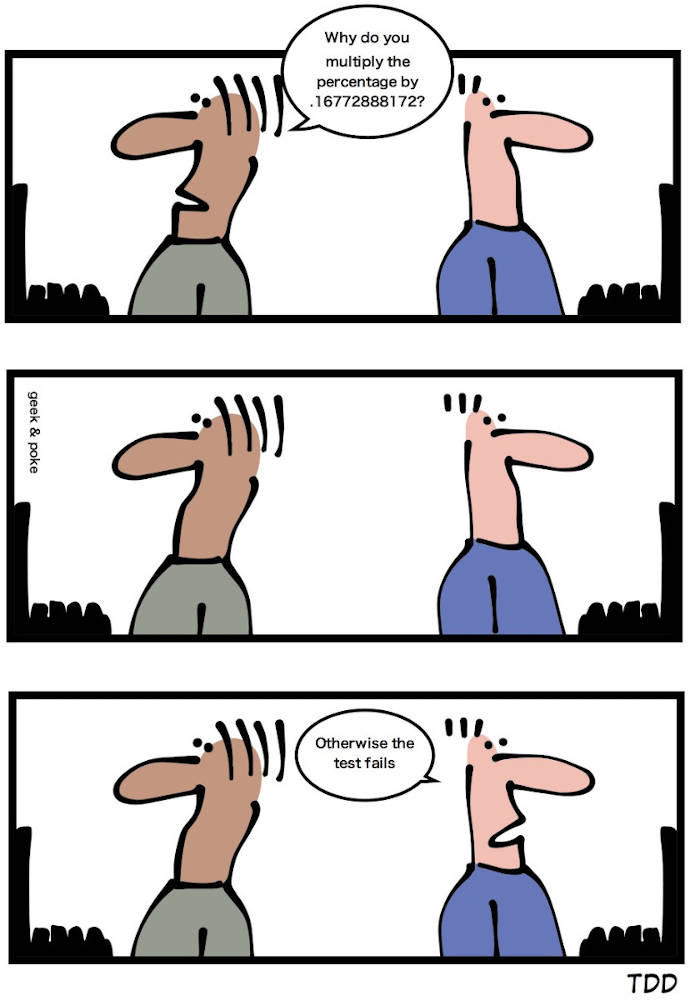
When you have a fibonacci(n: int) -> int function, you will likely have a test_fibonacci function. And when test suites grow, a test_fibonacci2 or something similar might appear. Don’t do that. I know, naming things is hard.
You will see the name of this function when the test fails. Which name will help you to quickly understand what was tested?
Docstrings of test functions
Docstrings can be super helpful. Especially if the thing you need to test is complex. You can add details on why this test exists and how the expected values were calculated.
On module level, you can add a docstring to tell the reader what should be within this test module. Do you test a specific module of the code base? Are there some common types of tests you want to apply for different modules? Are there common issues that should be tested?
Test level docstrings are used in a good way in parts of sympy:
def recurrence_term(c, f):
    """Compute RHS of recurrence in f(n) with coefficients in c."""
    return sum(c[i] * f.subs(n, n + i) for i in range(len(c)))
There are tons of negative examples like this from Flask, where the docstring adds no value:
def test_jsonify_basic_types(self, test_value, app, client):
    """Test jsonify with basic types."""


...


def test_scriptinfo(test_apps, monkeypatch):
    """Test of ScriptInfo."""
I’ve also checked my own code and I’ve mainly seen neutral or negative uses of test level docstrings 😱
Pytest markers
Pytest gives you the option to decorate your code with @pytest.mark.foo,
where foo can be any arbitrary string you like. I use @pytest.mark.slow quite
often. Then you can execute all tests which are not slow like this:
pytest -v -m "not slow"
I’ve seen the marks high_memory and db in Pandas as well.
Shared test helpers
Once in a while, you need helper functions for your tests which appear in multiple tests. Now there are multiple ways to deal with that:
- Duplicate the code
- Import the helper function from a
tests/foo.pyfile - Import the helper function from the main package, e.g. within a test_helpers / tests directory.
- Import the helper function from one test_foo.py file
I would not go for option (4) as it seems pretty arbitrary to put code there. Besides that, I see no clear best option:
- Is nice, because it keeps the test code easy to understand. You have to look
at most at 3 files: The
foo.py, the test_foo.py and the conftest.py (see later). If you like DRY code, this is not for you. - You keep things DRY and you keep tests out of the production code. The disadvantage is that it feels like building a separate, potentially untested, code base.
- This way it’s clear that you should test the test helpers. You expose them to others who might need them as well. The disadvantage is that you extend the production code you ship.
Pytest configuration
I usually put everything that configures pytest in the setup.cfg and the fixtures
in a conftest.py within
tests/.
Fixtures
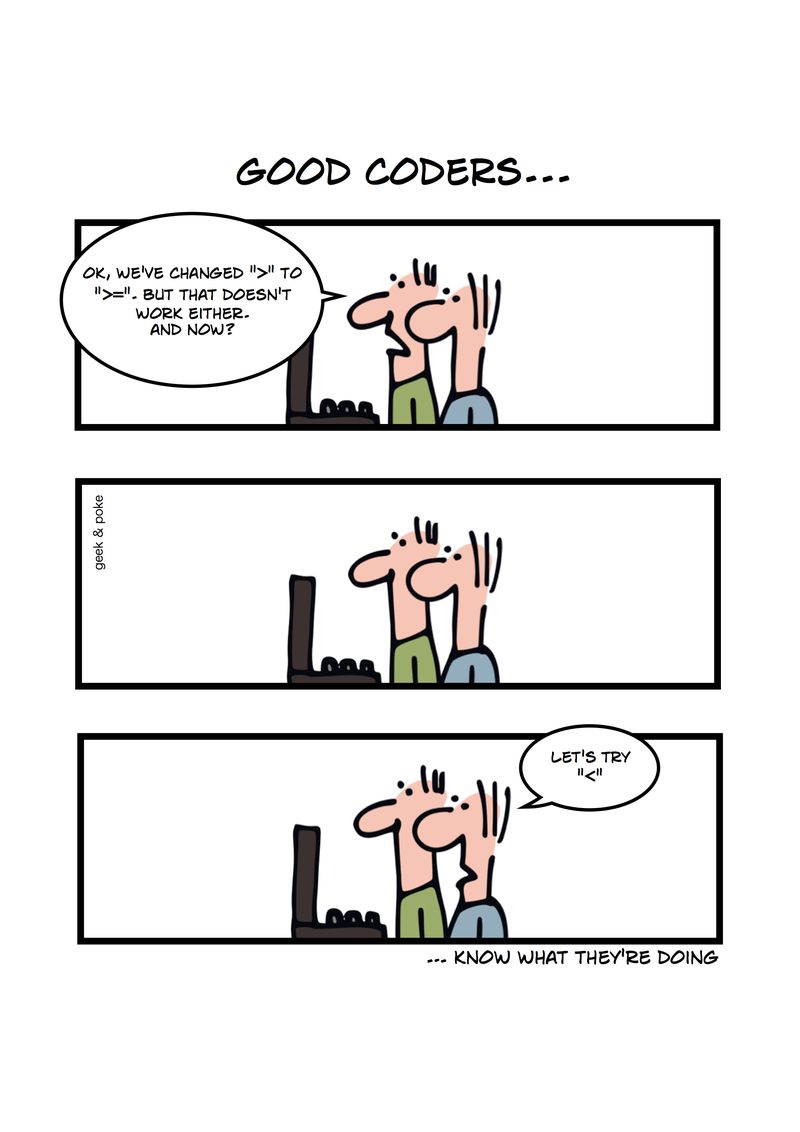
The Python style of writing tests is by creating a function which contains the
test. This might seem weird to you if you come from a Java / JUnit-influenced
testing world. There you have a class with a setUp and tearDown method and
various methods for the single tests.
For a long time, I’ve used the old and ugly unittest.TestCase if I had a lot of
tests which needed some common preparation — I thought there was no way around
setUp and tearDown. I was wrong.
Pytest fixtures can do exactly that. Their structure looks like this:
import pytest


@pytest.fixture
def client():
    # setUp()
    obj = None  # whatever you want to pass
    yield obj
    # tearDown()


def test_awesomeness(client):
    pass
Note that the argument to test_awesomeness has the same name as the fixture. That is no coincidence. It has to be the same name so that pytest passes the fixture.
I usually define the fixtures in tests/conftest.py. Pytest will register them and supply them to your test automatically. No need to import the conftest.py anywhere.
Here is an example to demonstrate that the tests are isolated:
import pytest


@pytest.fixture
def show_isolation():
    a = 42
    yield a
    a += 1


def test_foo(show_isolation):
    assert show_isolation == 42


def test_bar(show_isolation):
    assert show_isolation == 42
If you want real examples, have a look at my tutorial how to test Flask Applications. There I show how to use fixtures to mock the database.
Parametrizing test functions
Have a look at the Fibonacci function:
def fib(n):
    a, b = 0, 1
    for _ in range(n):
        a, b = b, a + b
    return a
Testing the first seven Fibonacci numbers seems like a good idea. You could create one test for each of them in test_fib_many.py:
from fibonacci import fib


def test_fib_0():
    assert fib(0) == 0


def test_fib_1():
    assert fib(1) == 1


def test_fib_2():
    assert fib(2) == 1


def test_fib_3():
    assert fib(3) == 2


def test_fib_4():
    assert fib(4) == 3


def test_fib_5():
    assert fib(5) == 5


def test_fib_6():
    assert fib(6) == 8
Or you could test them all in test_fib_one.py:
from fibonacci import fib


def test_fib_first_seven():
    n2expected = [(0, 0), (1, 1), (2, 1), (3, 2), (4, 3), (5, 5), (6, 8)]
    for n, expected in n2expected:
        assert fib(n) == expected
The test_fib_one.py will fail at the first example that fails. Assume you’re
asking students to hand in an implementation of Fibonacci as homework and one
of them just hard-codes the first three cases. Another student gets it almost
right, but starts with 1,1,2,3,5,8 instead of 0,1,1,2,3,5,8. For both
students, you would see only one failing test. You would see one example which
didn’t pass and why, but you wouldn’t have a clue in which way the other
examples were wrong.
The test_fib_many.py will show you all mistakes. However, it is super
verbose.
There is a better way to combine both advantages: Parametrizing test functions:
import pytest
from fibonacci import fib


@pytest.mark.parametrize(
    "n,expected", [(0, 0), (1, 1), (2, 1), (3, 2), (4, 3), (5, 5), (6, 8)]
)
def test_route_status(n, expected):
    assert fib(n) == expected
The parametrization example looks similar to the test_fib_one.py, but it will
fail for every single parameter which is wrong. As an example, I manipulated
the Fibonacci function to return 42 for n=2 and n=3. Here is what the
error looks like with pytest's parametrization:
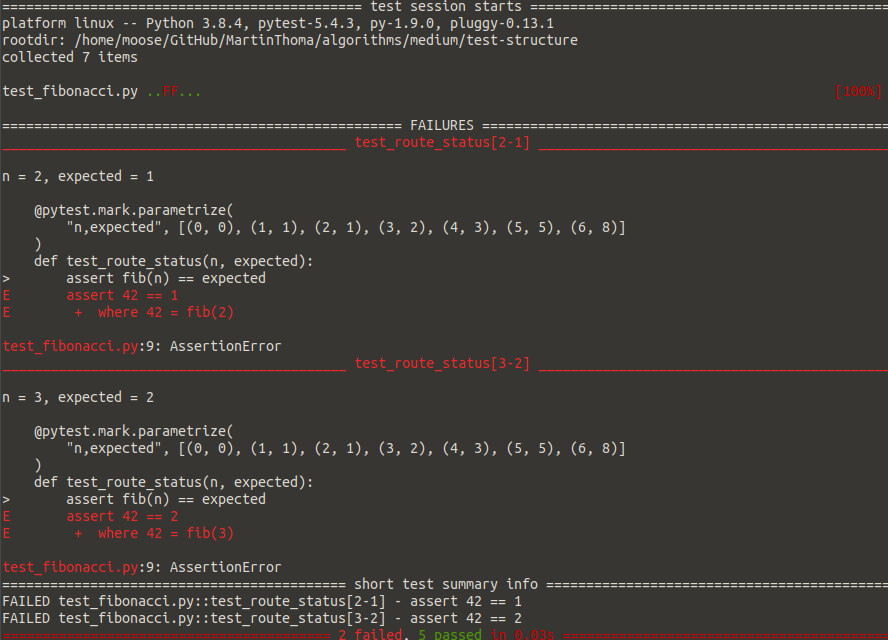
Both the test and the test output in case of failure are now more readable! I love this so much 😍
Dependencies between tests
In some cases, you know that a test will fail if another one has failed already. You could model that with pytest-dependency. However, I encourage you to think carefully about this. Maybe you can patch dependencies away to make sure you’re only testing one thing in one unit test? Maybe the function you want to test can be split into multiple functions if it has too many dependencies?
See also
- Brian K Okken: Multiply your Testing Effectiveness with Parameterized Testing, PyCon 2020. On YouTube.
More in this series
This article is part of my series about unit testing in Python:
- Part 1: The basics of Unit Testing in Python
- Part 2: Patching, Mocks and Dependency Injection
- Part 3: How to test Flask applications with Databases, Templates and Protected Pages
- Part 4: tox and nox
- Part 5: Structuring Unit Tests
- Part 6: CI-Pipelines
- Part 7: Property-based Testing
- Part 8: Mutation Testing
- Part 9: Static Code Analysis: Linters, Type Checking, and Code Complexity
Let me know if you’re interested in other topics around testing with Python or professional software development with Python: [email protected]