YAML is a file format commonly used for data serialization. There is a plethora of projects using YAML files for configuration, such as Docker Compose, pre-commit, Travis CI, AWS CloudFormation, ESLint, Kubernetes, Ansible, and many more. Knowing the features of YAML helps you with all of them.
Let’s cover the basics first: YAML is a superset of JSON (source). Every valid JSON file is also a valid YAML file. This means you have all of the types you expect: Integers, floats, strings, bool, null. Also sequences and maps. Depending on your programming language, you might say “array” or “list” instead of sequence and “dictionary” instead of map.
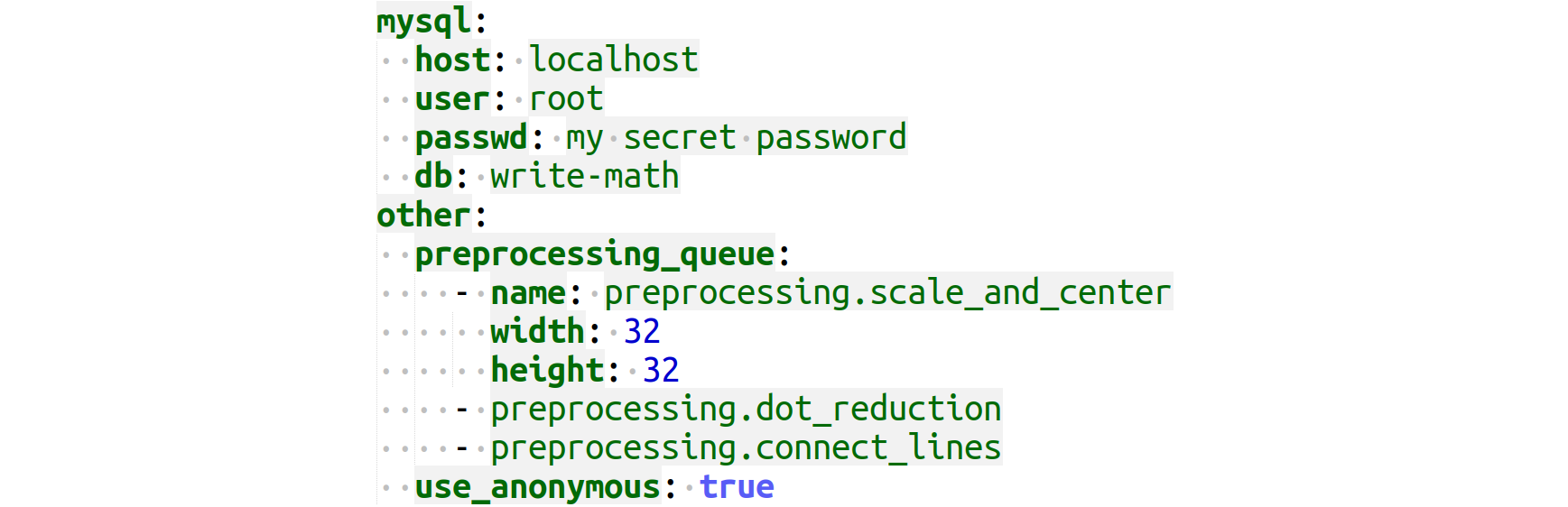
It typically looks like this:
mysql:
  host: localhost
  user: root
  password: something
preprocessing_queue:  # Line comments are available!
  - name: preprocessing.scale_and_center
    width: 32
    height: 32
  - preprocessing.dot_reduction
use_anonymous: true
Equivalent Notation
YAML has a lot of equivalent ways to write stuff:
list_by_dash:
  - foo
  - bar
list_by_square_brackets: [foo, bar]
map_by_indentation:
  foo: bar
  bar: baz
map_by_curly_braces: {foo: bar, bar: baz}
string_no_quotes: Monty Python
string_double_quotes: "Monty Python"
string_single_quotes: 'Monty Python'
bool_english: yes
bool_english_no: no
bool_python: True
bool_json: true
Some words of caution here:
language: no # ISO 639-1 code for the Norwegian language
This no is interpreted as false. You need to write "no" or 'no'.
In general, I recommend using true and false just like JSON does for booleans,
but YAML supports 11 ways to write booleans.
If you want to use quotes for strings, I would also use " like JSON does. You
still need to remember "no", but at least the file looks a bit more familiar
to YAML beginners.
Long Strings
disclaimer: >
    Lorem ipsum dolor sit amet, consectetur adipiscing elit.
    In nec urna pellentesque, imperdiet urna vitae, hendrerit
    odio. Donec porta aliquet laoreet. Sed viverra tempus fringilla.
This is equivalent to the following JSON (newlines are added for readability; please ignore them):
{"disclaimer": "Lorem ipsum dolor sit amet, consectetur adipiscing elit. In nec urna pellentesque, imperdiet urna vitae, hendrerit odio. Donec porta aliquet laoreet. Sed viverra tempus fringilla."}
Multi-Line String
mail_signature: |
      Martin Thoma
      Tel. +49 123 4567
This is equivalent to the JSON:
{"mail_signature": "Martin Thoma\nTel. +49 123 4567"}
Note how the leading whitespace is ignored. The first line (“Martin Thoma”) determines the number of ignored leading whitespace characters.
Anchor
email: &emailAddress "[email protected]"
id: *emailAddress
This is equivalent to the following JSON:
{"email": "[email protected]", "id": "[email protected]"}
The & defines a variable emailAddress with the value "[email protected]".
The * then indicates that the name of a variable follows.
You can do the same with mappings:
foo: &default_settings
  db:
    host: localhost
    name: main_db
    port: 1337
  email:
    admin: [email protected]
prod: *default_settings
dev: *default_settings
which gives:
{ "dev": { "db": {"host":
                  "localhost",
                  "name": "main_db",
                  "port": 1337},
           "email": {"admin": "[email protected]"}},
  "foo": { "db": {"host": "localhost",
                  "name": "main_db",
                  "port": 1337},
           "email": {"admin": "[email protected]"}},
  "prod": { "db": {"host": "localhost",
                   "name": "main_db",
                   "port": 1337},
            "email": {"admin": "[email protected]"}}}
Now you might want to add settings only to prod. You can
do that by using the merge key <<:
foo: &default_settings
  db:
    host: localhost
    name: main_db
    port: 1337
  email:
    admin: [email protected]
prod:
  <<: *default_settings
  app:
    port: 80
dev: *default_settings
which is equivalent to this JSON:
{ "foo": { "db": {"host": "localhost",
                  "name": "main_db",
                  "port": 1337},
           "email": {"admin": "[email protected]"}},
  "prod": { "app": {"port": 80},
            "db": {"host": "localhost",
                   "name": "main_db",
                   "port": 1337},
            "email": {"admin": "[email protected]"}},
  "dev": { "db": {"host": "localhost",
                  "name": "main_db",
                  "port": 1337},
           "email": {"admin": "[email protected]"}}}
Type Casting
The double bang !! has a special meaning in YAML. It is called “secondary tag
handle” and is a shorthand for !tag:yaml.org,2002:
(source).
You can do simple conversions like that:
price: !!float 42
id: !!str 42
Or more complex ones, e.g. map to default Python types that are not specified in YAML directly:
tuple_example: !!python/tuple
  - 1337
  - 42
set_example: !!set {1337, 42}
date_example: !!timestamp 2020-12-31
You can read it like this:
import yaml
import pprint

with open("example.yaml") as fp:
    data = fp.read()

pp = pprint.PrettyPrinter(indent=4)

parsed = yaml.unsafe_load(data)
pp.pprint(parsed)
And you will get this:
{
    "date_example": datetime.date(2020, 12, 31),
    "set_example": {1337, 42},
    "tuple_example": (1337, 42),
}
This example uses the Python-specific tag !!python/tuple and some standard YAML tags. PyYaml has a nice overview:
## Standard YAML tags
YAML               Python 3
!!null             None
!!bool             bool
!!int              int
!!float            float
!!binary           bytes
!!timestamp        datetime.datetime
!!omap, !!pairs    list of pairs
!!set              set
!!str              str
!!seq              list
!!map              dict

## Python-specific tags
YAML               Python 3
!!python/none      None
!!python/bool      bool
!!python/bytes     bytes
!!python/str       str
!!python/unicode   str
!!python/int       int
!!python/long      int
!!python/float     float
!!python/complex   complex
!!python/list      list
!!python/tuple     tuple
!!python/dict      dict

## Complex Python tags
!!python/name:module.name         module.name
!!python/module:package.module    package.module
!!python/object:module.cls        module.cls instance
!!python/object/new:module.cls    module.cls instance
!!python/object/apply:module.f    value of f(...)
Please note that loading non-standard tags is unsafe! It is possible to execute
arbitrary code with !!python/object/apply:module.f. In PyYaml, you need
yaml.unsafe_load to use it. Hence, you should probably not use it!
Multiple Documents in one YAML
Three dashes separate documents in YAML:
foo: bar
---
fizz: buzz
In Python, you can load it like this with PyYAML:
import yaml

with open("example.yaml") as fp:
    data = fp.read()

parsed = yaml.safe_load_all(data)  # parsed is a generator
If you convert parsed to a list and print it, you get:
[{"foo": "bar"}, {"fizz": "buzz"}]
Please note that this is NOT an alternative notation to write lists. They are different documents.
The static site generator Pelican uses this to distinguish metadata from the content. I haven’t seen any other application using this feature.
What’s next?
There are plenty of configuration file formats such as TOML, INI, JSON, XML, dotenv, and data serialization formats such as Python's pickle, HDF5, and NumPy's NPZ. Let me know if you’re interested in learning more about one of them!