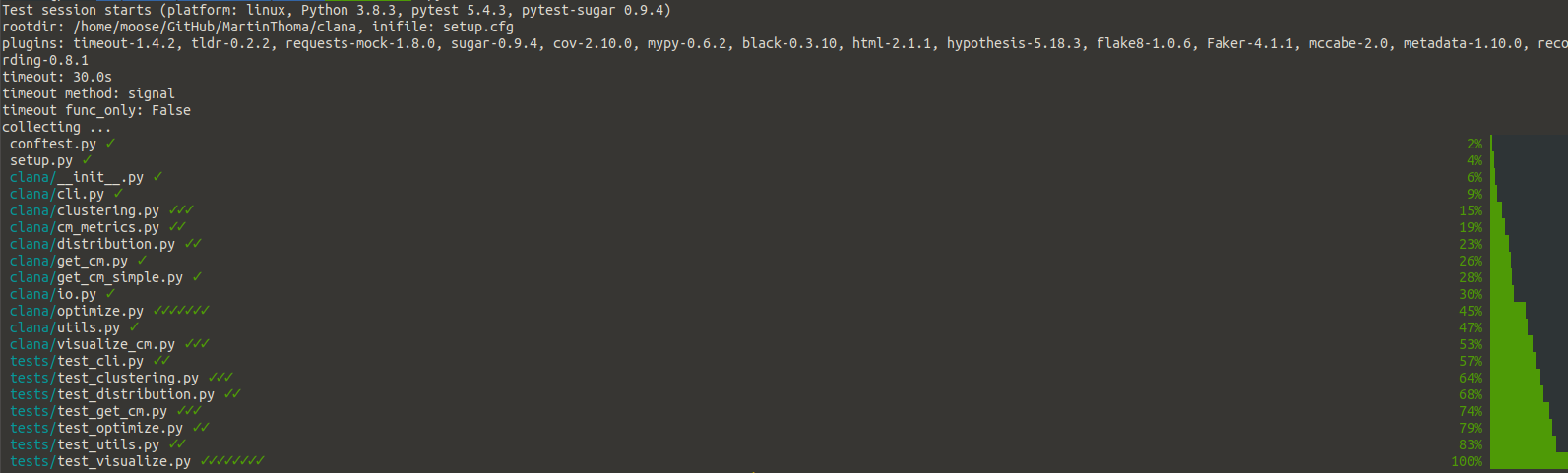
Pytest is extensible and has plenty of plugins. You don’t need to use any of them, but you might find some very useful. I love this because it's easy to get started with unit testing, while still finding amazing stuff when you’re more experienced 🤩
In this article, I’ll show you examples of plugins I use and the plugins I found while writing this article. You might want to cover the basics of unit testing first or refresh testing details like fixtures.
How can I add a plugin?
All plugins presented in this article can be installed via pip. Most of them
are then already active. For example, when you install pytest-sugar via
pip install pytest-sugar
you can just execute pytest and the plugin will automatically work. Others need
to be used more directly. For example, after installing pytest-timeout you
need to specify the timeout parameter you want to use:
pytest --timeout=1
Don’t worry, I will explain those two plugins later 🙂
How many Pytest plugins exist?
Searching on pypi.org for the trove classifier Framework :: Pytest, I found
668 packages. A stunning 1053 packages have “pytest” in the name. 461 packages
have both the name and the trove classifier.
I went through over 700 pytest plugins for this article. I’ve skipped plugins that consider themselves to be in planning, pre-alpha, or alpha stage. I’ve also skipped packages where I’ve seen a TODO in the readme or if the package had fewer than 10 stars on GitHub.
The packages I’ve found make pytest sparkle ✨, improve the speed 🏎, are specialized to specific packages, or just unique in their behavior ❄️
Last but not least, there are some plugins where I’m not sure if they are awesome or if they are a bad idea. Let’s jump right into it and have a look yourself!
Side note: Maybe you remember my side note on typosquatting? I found a fixable issue on PyPI while writing this article, hopefully improving security for the community 🎉
The shiny ones
The default output of pytest is already good, but some plugins make it amazing. pytest-sugar is one of those plugins ❤
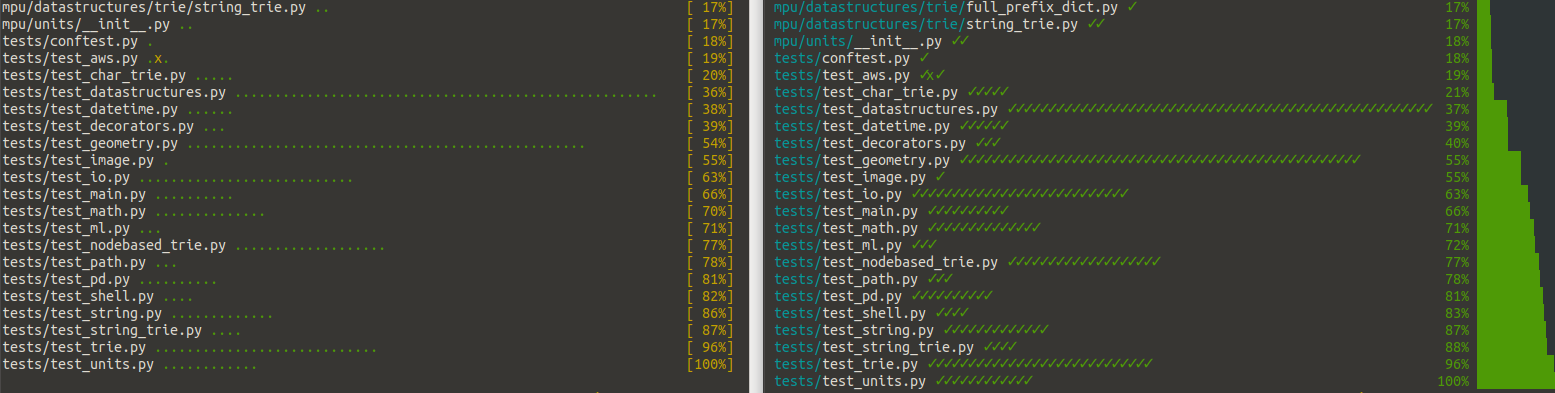
If those dots or checkmarks are too subtle for you, give pytest-emoji and pytest-emoji-output a try 😃
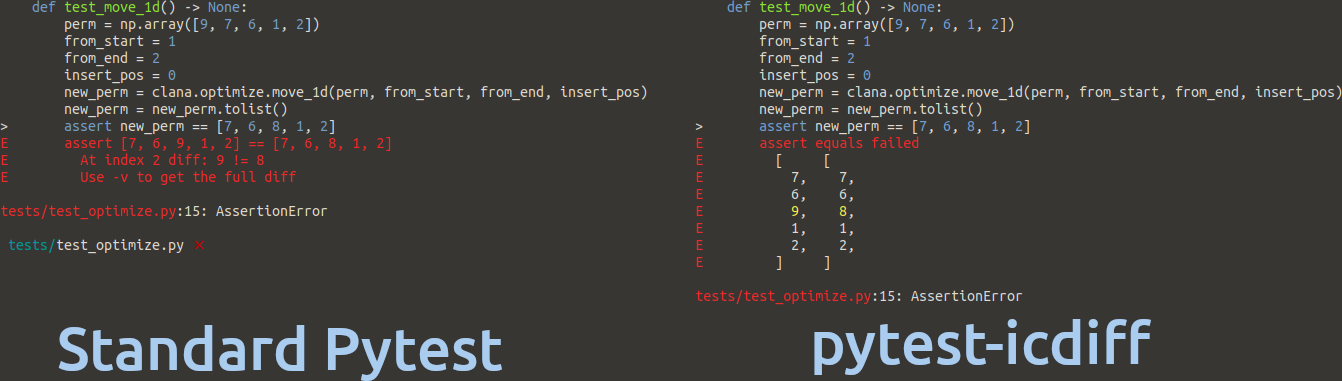
The summary output now looks good, but the diffs between the expected value and the actual value can be improved. pytest-icdiff is a plugin I’ve only found while researching this article — and it was love at first sight 🥰❤
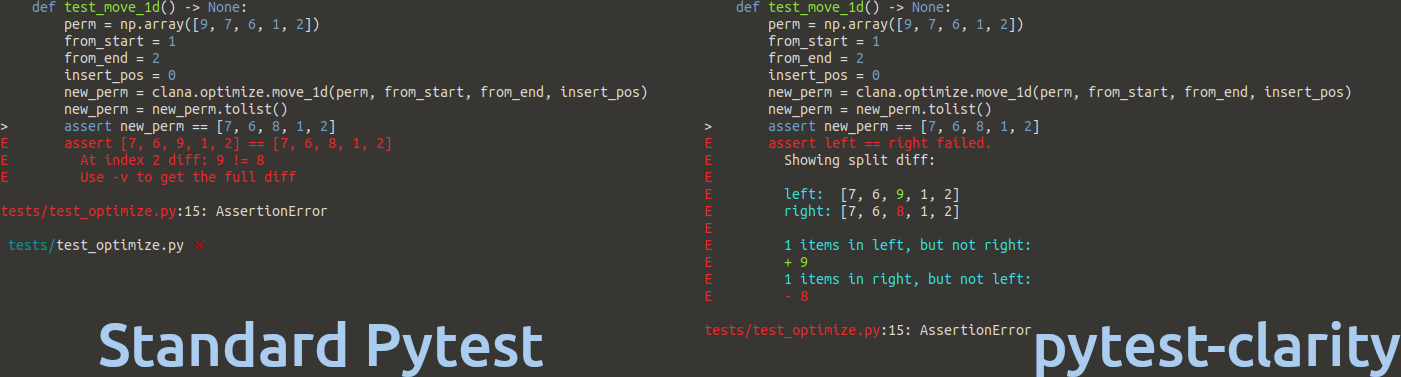
Very similar is pytest-clarity — be aware that pytest-clarity is only active when you execute pytest -vv:
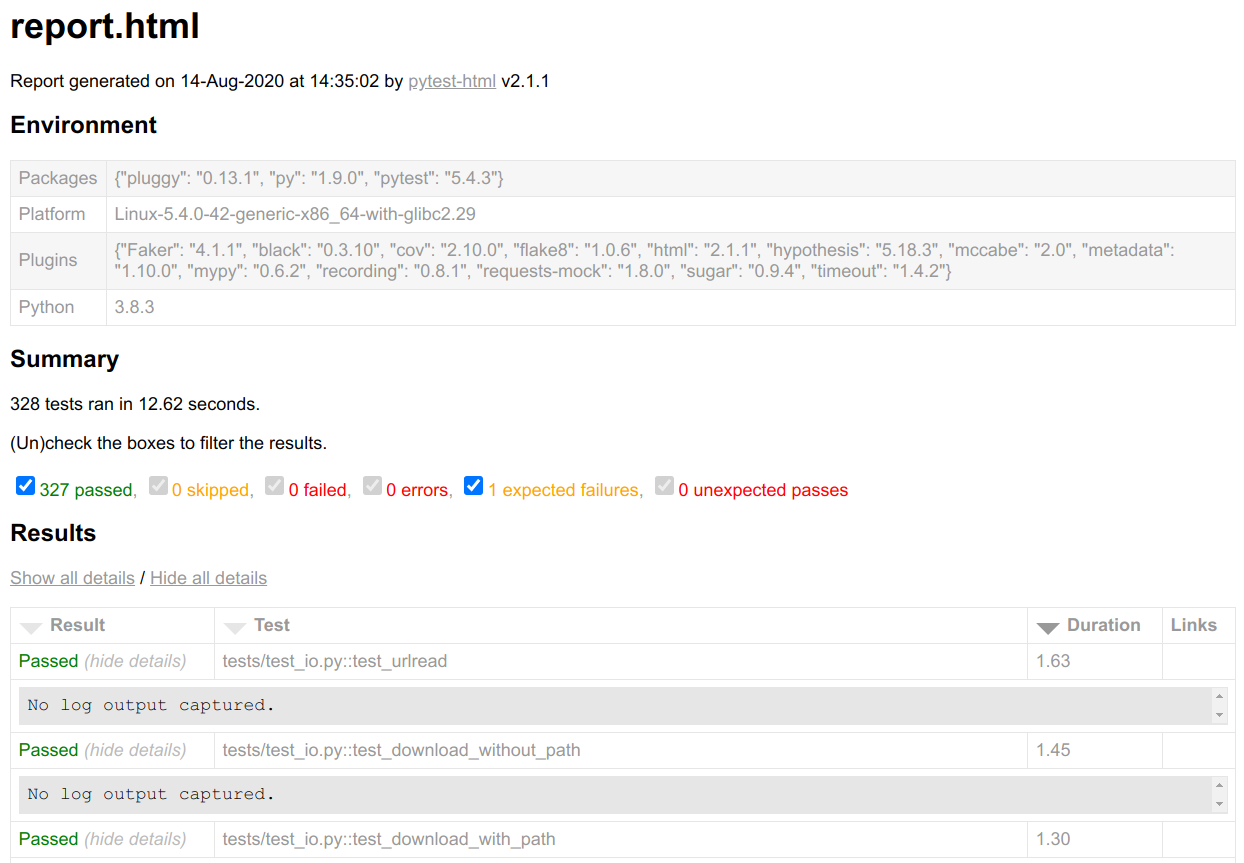
Once you're happy with the terminal output, you might think about getting reports in the browser. This could help once you have to have a look at many things, want to scroll and search. Then pytest-html is your friend. It generates reports like this one:
Now that we are happy with the output, we want to make it lightning fast!
We need speed!
Plugins can speed things up. For example, you can make pytest fail instantly
with pytest-instafail instead of
executing all remaining tests. For tests which might take a long time or even
result in an infinite loop in case of errors, I use
pytest-timeout ❤. That is
especially helpful when you apply mutation
testing.
We also want to use our machine properly by using
pytest-xdist. Install it, execute
pytest -n auto, and your tests run in parallel!
pytest-parallel might also be
worth a shot.
The most extreme speedup is not to execute stuff you don’t need.
pytest-picked executes tests
that are related to unstaged files, which can be way fewer than your complete
test suite.
Going in a different direction, we want to make sure that the algorithms have
a certain speed behavior. With
pytest-benchmark, we can use
the benchmark fixture to annotate parts of a test which we want to benchmark:
def test_argmax(benchmark):
    assert benchmark(mpu.math.argmax, [1, 2, 3]) == 2
Running pytest then also gives this output, where you can see three functions to which I’ve added a benchmark. Two of them test a factorization function. It should not be a surprise that factorizing 3072 takes longer than factorizing 1024, but it is always astonishing to me how quickly the numbers grow. The argmax of 3 examples is super quick, but factorization just needs way more computation:

The unique ones
Some plugins are unique and don’t fit in any of the other categories:
- pytest-cov : Get a test coverage report 😍 ❤ I like to generate both an HTML report and an output to the terminal. In some settings, an XML report is also helpful.
- pytest-socket : Make certain that you don’t query anything non-local. Very nice ❤
- pytest-randomly and
pytest-rng: If you use
random.random, then the outcome depends on the random seed. These plugins control the seed. - pytest-random-order : Execute the tests in a random order, to make sure you see when a test leaves the system in a different state.
- pytest-lazy-fixture : Use
fixtures in
@pytest.mark.parametrize. - pytest-freezegun : Freeze time! This is one I’ve also mentioned in my patching article.
- pytest-leaks : Find resource leaks. This requires a debug build of Python!
- pytest-flake8 : Run flake8 via pytest. I did that for a long time, but when I learned how to use Continuous Integration pipelines more effectively, I stopped it. You can still execute flake8 directly.
- pytest-mypy and pytest-mccabe: Same story as for flake8. By the way, type annotations are awesome! I like to have those static code analysis tools in a linter step within the CI pipeline.
- pytest-deadfixtures : Point out which fixtures are not used or duplicated.
17 Specialized Plugins — You’ll know if you need them
The following plugins are only interesting to you if you work with the applications for which they are written. They usually provide fixtures/mocks.
- pytest-cookies : Supports testing of cookiecutter templates.
- pytest-plt and pytest-mpl: Provides fixtures for matplotlib.
- pytest-responses : Provides
fixtures for
requests. - pytest-asyncio : Use it when you develop async functions.
- pytest-qt : GUI development via Qt / PySide / PySide2.
Web Development
- pytest-djangoapp / pytest-django-queries: Exposes tools for Django application developers to facilitate test authoring, including settings override, template tag testing, and user creation.
-
- pytest-flask and
- pytest-flask-sqlalchemy
- Provides fixtures for running tests in transactions using Flask-SQLAlchemy.
- pytest-seleniumbase / pytest-sbase / pytest-selenium
Mocks and Fixtures for AWS
- moto : Mocks for boto3 — AWS stuff. I don’t exactly love this one, but it is for sure the best you can do when you want to test code that uses S3.
- pytest-aws : Testing AWS resource configurations
- pytest-lambda : Fixtures for AWS Lambda
- pytest-localstack : Create AWS integration tests via a Localstack Docker container
Plugins I’m uncertain about
The following plugins sounded cool to me when I first read about them, but for various reasons, I’m uncertain if they are really a good idea:
- pytest-check : Allows multiple failures per test. At first, I loved the idea. Then I realized that this might lead to worse tests as the tests start to do many things. On the other hand, you might want to test a “workflow” once — so not a unit test, but an integration test or even an end-to-end test. But then you would also need intermediate results.
- pytest-docker-tools and pytest-docker-compose: I would just build the Docker image and execute the stuff in it.
- pytest-mock : Provides a mocker fixture which is a thin wrapper around the patching API provided by the mock package.
pytest-spec,pytest-pspec, and pytest-testdox modify the pytest output. They show what is tested. The tests should be written in such a way that they represent the software specification — so the test is against a part of the specification.- pytest-recording : It should record network interactions via VCR.py, but I didn’t get it to work.
- pytest-dependency allows you to specify which tests need to succeed for others to be able to succeed. Unit tests should be independent and dependent code should be mocked… maybe. I’m not certain about that.
TL;DR
pytest is the tool of choice to run tests in Python. While it has reasonable defaults, its extensive plugin system lets you customize it to make it even better.
I love pytest-sugar and
pytest-icdiff, because they make
the output of pytest easier to read.
pytest-cov generates line and branch
coverage and thus is a valuable tool to find spots that need better tests. The
next step is to run the tests. You really don’t want to accidentally hit the
production environment. This is where
pytest-socket comes into play. It
just blocks everything and reports it to you. The other type of issue is
long-running tests that are potentially in infinite loops. pytest-timeout kills
those tests after the specified amount of time.
There are so many other plugins; many add fixtures for specific packages which are typically hard to test. You should now have a good idea of the many possibilities added by pytest plugins — use them!